
You have successfully registered on Binance—what's next? It's time to take care of your account security.
- Use a strong password.
- Go to your exchange account settings and enable the following:
a) SMS Verification.
A verification code will be sent to your phone number each time you sign in, and you will only be able to access your account after entering it. The downside of this method is that if you travel abroad, you may not receive the SMS code. Therefore, if you travel frequently, we recommend using option b).
b) 2FA (Two-Factor Authentication) with Google Authenticator.
Please note that if you delete the Google Authenticator app, it may be very difficult to regain access to your exchange account.
c) Biometric Authentication.
Our Step-by-Step Guide to Configuring Binance Account Security
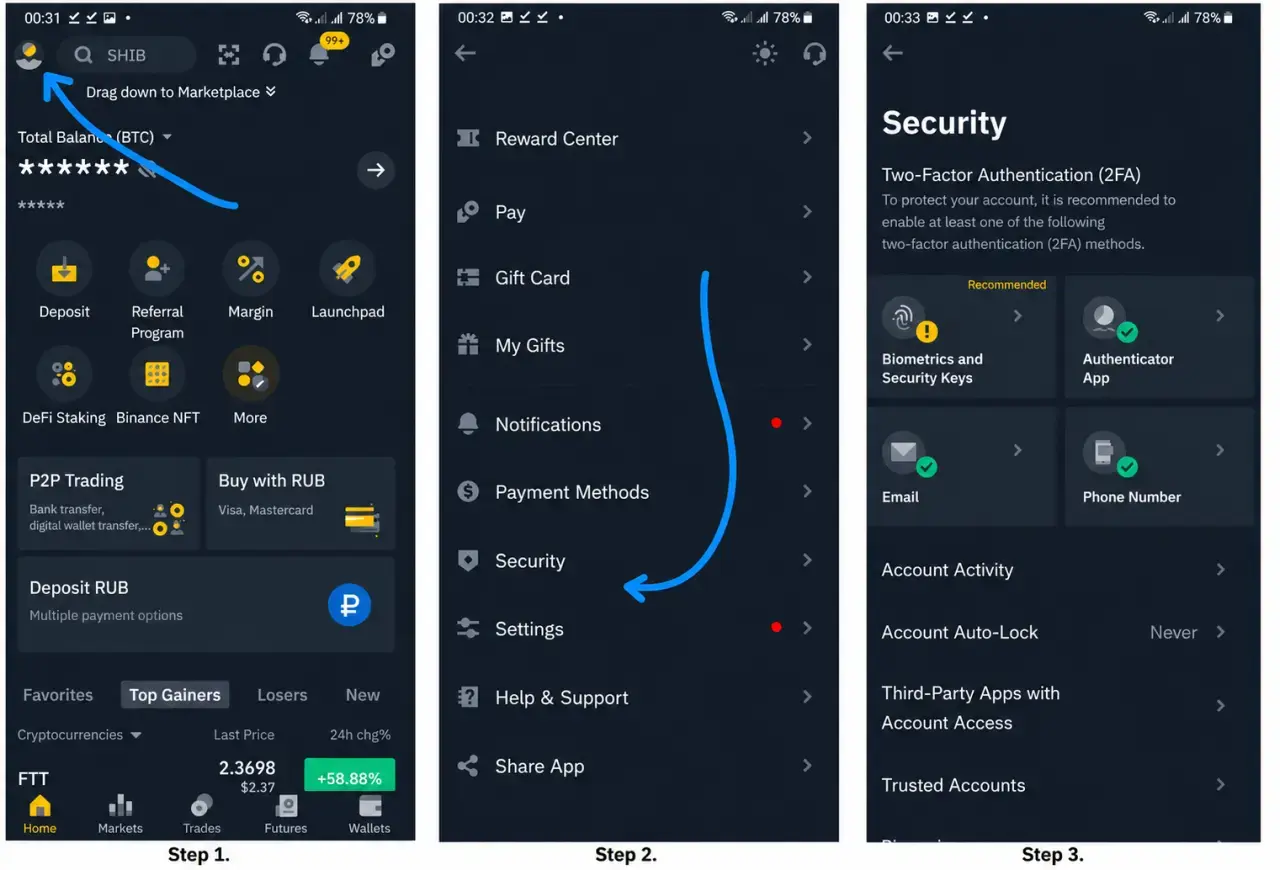
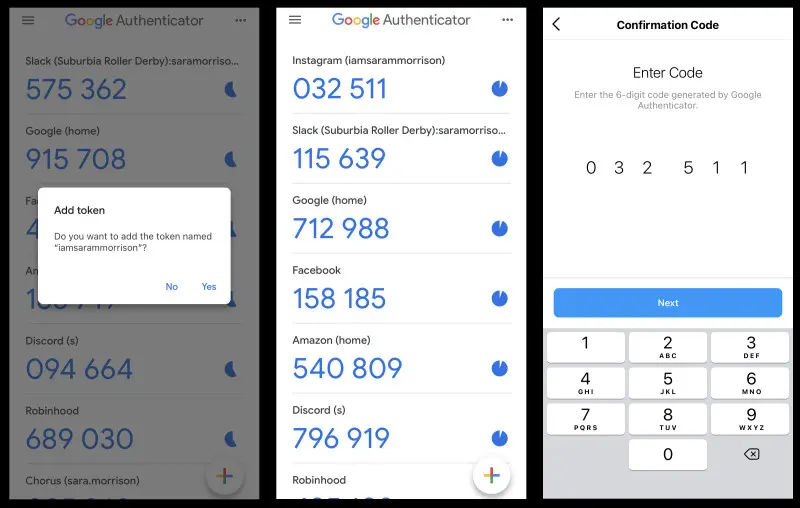
Setting Up Google Authenticator
Two-Factor Authentication (2FA) with Google Authenticator is a mobile application that links to your exchange account and generates a new access code every 15 seconds. The highest level of security is achieved when you have at least three protection methods enabled: biometric authentication, Google Authenticator 2FA, and email verification.
Where Is the Best Place to Store Cryptocurrency?
Let's look at three common ways to store cryptocurrency:
1️⃣ Cryptocurrency Exchanges: Binance, Gate, OKX, Bybit, etc.
This is the least secure option because the private key (also known as the personal, secret, or confidential key) that provides access to your funds is held by the exchange. The exchange could become insolvent or cease operations at any time.
2️⃣ Non-Custodial Wallets
This option is more secure than storing funds on an exchange, but it is still not without risks. The wallet developers do not collect the private keys or seed phrases of wallet owners. This means that users have full control over their funds. Essentially, the application serves as an interface that communicates with the blockchain to transmit data. These wallets do not actually store cryptocurrency; they generate public keys (Bitcoin addresses) and store the private keys for all addresses within the wallet. Examples of such wallets include MetaMask and Trust Wallet.
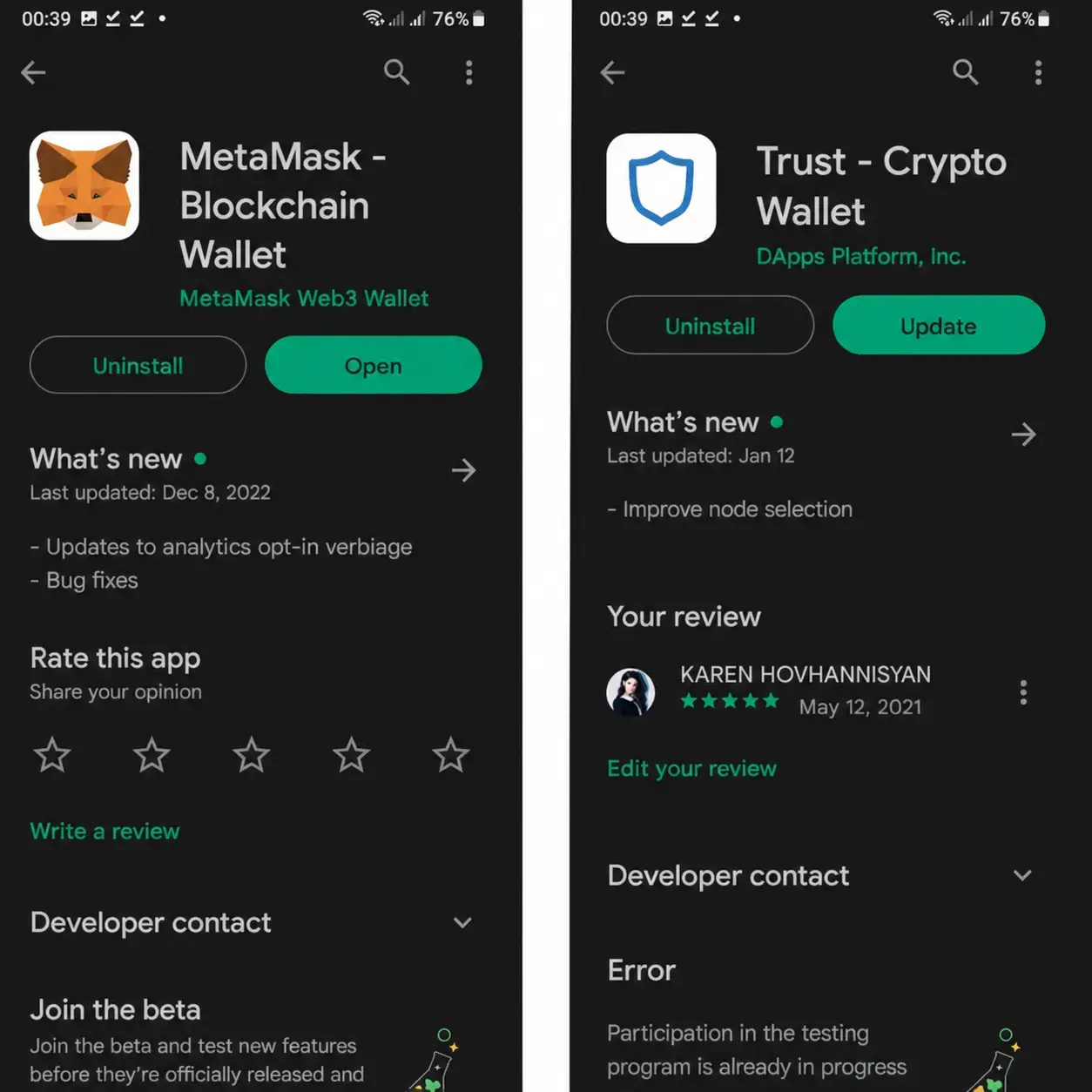
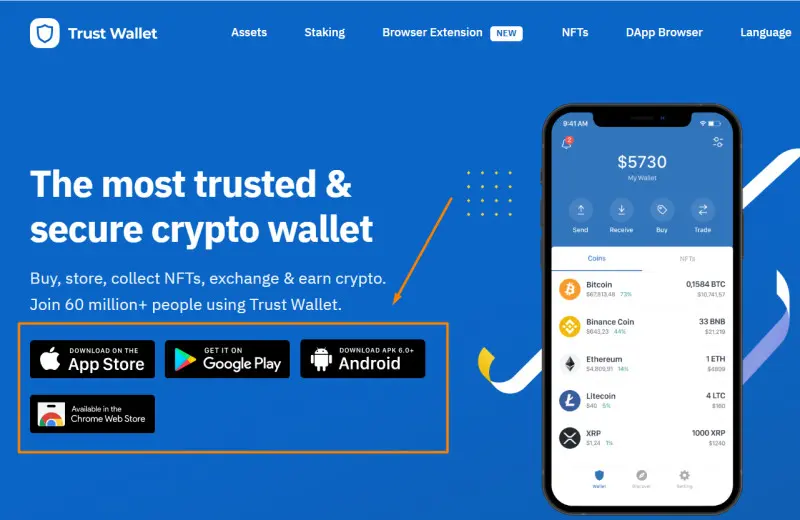
We would like to warn those who choose to use the Trust Wallet wallet. Recently, a large number of counterfeit Trust Wallet applications have appeared. In other words, fraudsters create a clone of the application that is virtually indistinguishable from the original. They provide users with a link to download it, and once it is installed on your phone, you are unlikely to notice that it is fake. However, any funds sent to such a wallet may never be recoverable.
To avoid downloading a counterfeit application, we recommend accessing the download link only through the official Trust Wallet website: https://trustwallet.com. Only in this case can you be confident that you are not installing a fraudulent application.
3️⃣ Hardware Wallet
A hardware wallet is a small physical device that stores all of your private keys and passwords, and only you have access to them. This is the most secure solution for storing cryptocurrency. However, these devices are not free, and you will need to purchase them from the official website of the manufacturer.
During the initial setup, the hardware wallet generates a seed phrase that must be written down on paper and stored in a secure location. If the device is lost or damaged, all of your funds can be easily restored on another compatible device using the seed phrase.
The leading hardware wallet manufacturers are Ledger, Trezor, and SafePal.
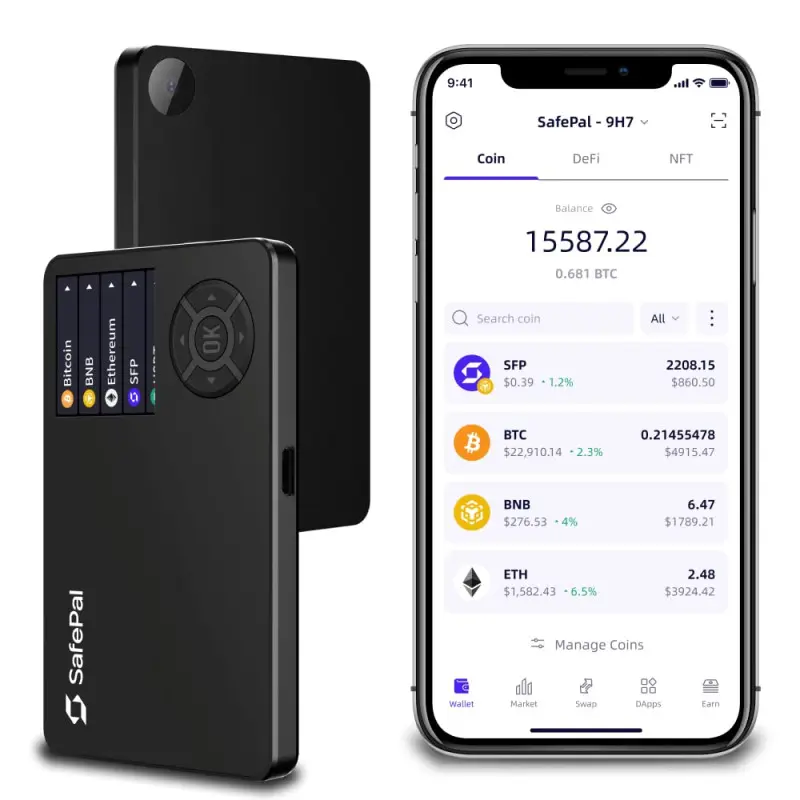
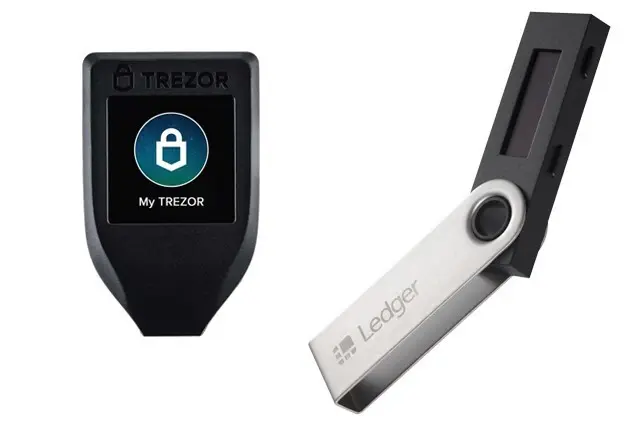
Ledger works via Bluetooth and a mobile application available on Google Play or the App Store. The device can be ordered here.
The Trezor wallet requires a computer, as there is no mobile application available, which may be somewhat inconvenient. However, Trezor is integrated with many wallets, such as MetaMask. The device can be ordered here.
The SafePal wallet has a mobile application that can be downloaded from Google Play or the App Store. The wallet is convenient to use and secure. The device can be ordered here.
Important to Know!!! During the wallet activation process, the device will generate a 12-, 18-, or 24-word seed phrase. These words must be written down in the exact order shown and stored in a secure location. This seed phrase provides complete control over all cryptocurrency addresses generated by the wallet. In simple terms, the seed phrase contains all of the private keys for every address in the wallet. If the wallet is accidentally deleted or your phone stops working, you will be able to restore your funds on a new wallet using the seed phrase.
Tips. Must Read!!!
Do not store your seed phrase in a notes app—write it down on a sheet of paper instead. Write it down twice for verification. First, write the words once, then cover the first version and write them again from memory or by reading the original. Compare both versions carefully to make sure there are no mistakes. Use a gel pen, as its ink is more durable and retains its color better over time.
Keep your seed phrase in a secure location that is inaccessible to others, such as a safe or a locked drawer. In case of a fire or another natural disaster, keep a backup copy outside your home. For example, you can place it in a sealed container and bury it in a secure location.
Never store your seed phrase on a computer or a mobile phone!
Good luck!